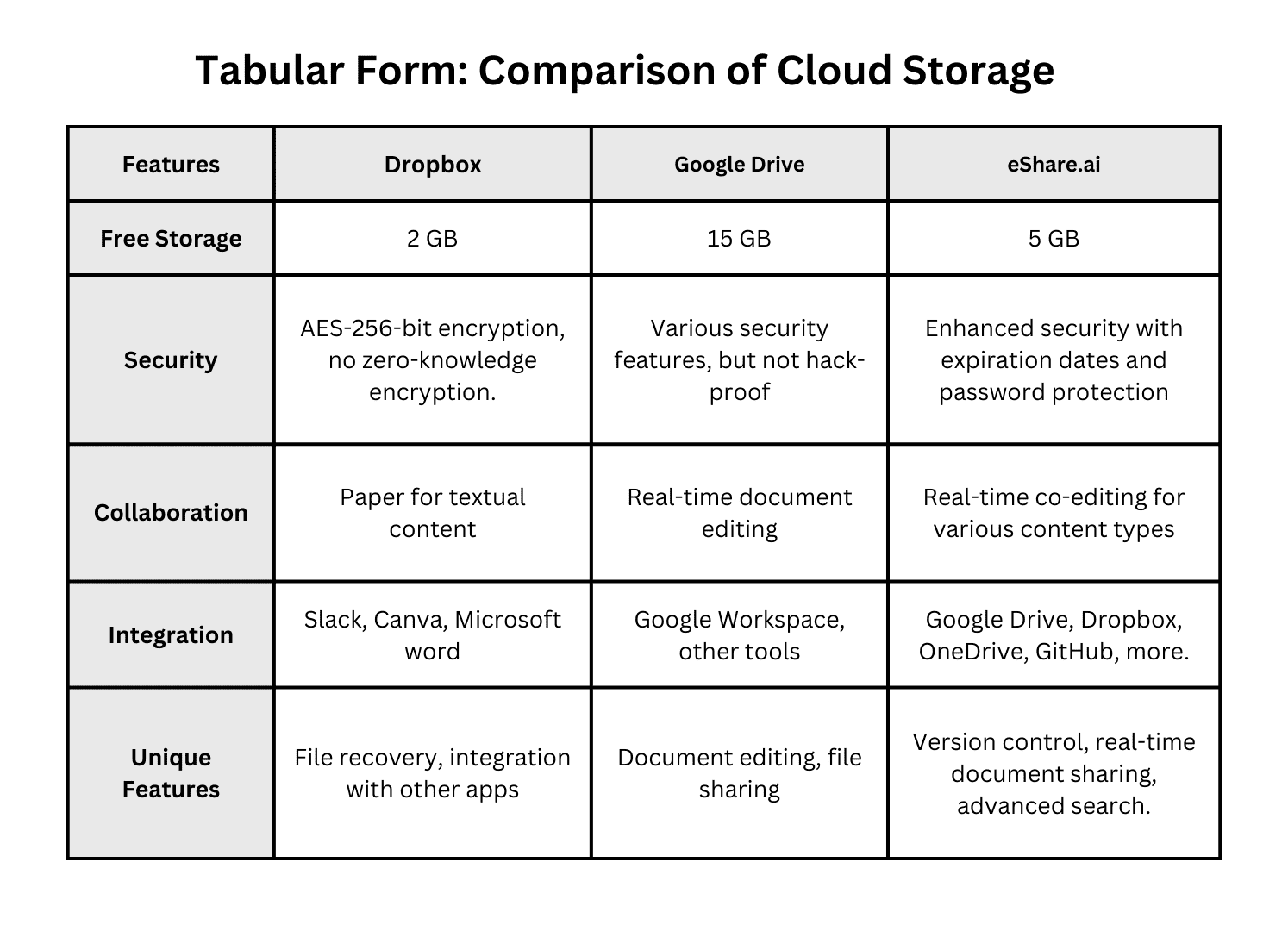
To eSign a document online, upload your file to a signing platform, place your signature where required, verify your identity if prompted, and save the signed copy. The whole process takes a few minutes and works on any device.
Paper has a way of slowing everything down. Contracts sit in inboxes, printers jam, and somebody always forgets to initial page three. This guide walks you through the whole process, from understanding what a digital signature is to sending a contract to five people at once, without the jargon.

Riya Sarkar
I write to shape ideas into something clear, engaging, and meaningful. I enjoy working across different industries, adapting skills to fit each brand I create for. My focus is on making content feel natural, easy to connect with, and worth reading. For me, good writing isn’t just about words, it’s about creating something that stays with the reader.

How Cloud Security Solutions Protect Remote Workforces in 2025

Top 5 Benefits of Using E-Signature for Startup Teams in Hyderabad

5 Reasons Why Every Professional Needs a Flowchart Maker in 2025


What Does Signing Online Actually Mean?
Picture the signature you’ve put on lease agreements, bank forms and job offers. Now remove the printer, the pen and the trip to the courier. What remains is an electronic signature: any digital mark, typed name, drawn scribble or simple click that shows you agree to what a document says.
The mark itself is only part of the story. Good platforms also record who signed, when they signed, which device they used and which email address received the request. That trail of evidence, usually called an audit trail, is often what holds up if anyone later questions the agreement.
You’ll also hear the term digital signature, and it isn’t quite the same thing. A digital signature uses cryptography and a certificate to lock a file, so any change after signing becomes visible. Think of it as the tamper-proof seal, while the everyday signature is the pen stroke. Plenty of tools combine both.
That’s the quiet strength of online document signing: it replaces a fragile piece of paper with a record that’s timestamped, searchable and easy to back up. Nobody has to dig through a filing cabinet six months later.
Is Signing Online Legally Valid?
The short answer is yes, in most places. The United States passed the ESIGN Act in 2000, and nearly every state has adopted the Uniform Electronic Transactions Act. The European Union covers the topic under its eIDAS regulation. India’s Information Technology Act of 2000 recognises electronic signing too, and the UK, Canada, Australia and Singapore all have their own frameworks.
The details vary, but the principles repeat everywhere. A signature generally counts when the signer clearly intended to sign, agreed to do business electronically, and the signature stays linked to the record it belongs to. Both sides should also be able to keep a copy afterwards.
Some documents sit outside these rules. Wills, codicils and certain family-court papers often still demand ink. In India, the IT Act’s first schedule excludes items such as wills, trusts, powers of attorney, negotiable instruments other than cheques, and contracts for the sale of immovable property. Property deeds and notarised papers can also follow local rules that change from region to region.
Before relying on any platform for something high-stakes, check the rules where you live or ask a qualified lawyer. This guide explains how the process works; it isn’t legal advice.
Types of Signatures You Might Run Into
Not every signature carries the same weight.Under frameworks like eIDAS, signatures are
|
Level |
How it works |
Typical use |
|
Simple |
Typed name, drawn mark or click-to-accept, backed by an audit trail |
NDAs, quotes, HR forms, consent notes |
|
Advanced |
Uniquely linked to the signer, identifies them, and reveals later changes |
Vendor contracts, loan paperwork |
|
Qualified |
Created with a certified device and certificate from a trusted provider; treated like handwriting in the EU |
Regulated filings, high-value deals |
sorted into levels, and similar thinking shows up in other countries.
Most everyday paperwork needs only a basic eSignature. A freelancer sending a project agreement or a landlord collecting a rental application rarely needs more. Step up when regulation says so, when the money involved is large, or when you expect a dispute. A decent rule of thumb: the more painful it would be to prove who signed, the stronger the method should be.
What to Get Ready Before You Start
A few minutes of preparation saves a lot of back-and-forth later. Run through this list first:
● A final version of the document. Changing a file after signatures are collected usually means starting over, so get every edit done first.
● Correct names and email addresses. A single typo sends the request to the wrong person or nowhere at all.
● A list of who signs and in what order. Some agreements need the manager before the client, or the buyer before the seller.
● A reliable device and connection. A phone, tablet or laptop all work, but a flaky signal can interrupt the upload halfway through.
● Any ID or verification details. Some platforms ask for a code sent to your phone, and a few request a photo ID.
● A deadline. Decide when the document should be done and set a reminder or expiry date accordingly.
One more thing: read the document properly. A signing platform makes agreeing effortless, which is exactly why you should slow down before you click.
Step-by-Step: Signing a Document Online
The buttons change from tool to tool, but if you want to sign documents electronically, the flow is nearly always the same.
1. Read the document end to end. Check names, dates, amounts and any clause you don’t fully understand. Once you sign, you’re bound by it.
2. Pick a signing platform. Choose one that is compliant in your region, creates an audit trail and works on the device you’ll use. Free plans cover occasional signing nicely.
3. Upload the file. PDF is the safest format because layout stays put. Word and image files usually convert, but glance at the result to make sure nothing shifted.
4. Add the fields. Drop in signature boxes, initials, dates and text fields wherever they belong, and assign each one to the right person.
5. Add signers and set the order. Enter each email address carefully. Choose whether people sign one after another or all at once.
6. Write a short message and send. A clear subject line and one friendly sentence about what’s needed gets faster replies than a blank request. If you’re the only signer, skip ahead.
7. Verify identity if asked. Signers typically click an emailed link, and some tools add a text-message code or an ID check for extra assurance.
8. Create and place your signature. Type your name, draw it with a mouse or finger, or upload an image of your handwriting. Click the field, confirm, and apply it.
9. Review and finish. Look over the document one last time, then submit. Everyone normally receives the completed copy, often with a certificate of completion attached.
10. Download and store it. Save the final PDF somewhere safe, ideally in two places, and name it clearly so you can find it again.
Sign Paperwork Digitally from Your Phone
Plenty of people finish agreements on the train, in a queue or from the sofa, and modern signing tools are built for it. When a request lands in your inbox, tap the link, and the document opens in your mobile browser or the platform’s app.
Turn your phone sideways if the page looks cramped, and pinch to zoom on small print. Tapping a signature field brings up a drawing pad where your fingertip works as the pen. Most people find a stylus a bit neater, but a finger is fine.
If identity checks are required, the phone often makes things easier. A text-message code arrives on the same device, and the camera can capture an ID photo in seconds. Make sure the picture is sharp, well lit and shows all four corners of the card.
A few small habits help. Use a secure network rather than public Wi-Fi when the document holds personal or financial details. Keep the screen awake so the session doesn’t time out mid-signature. And before you hit finish, scroll through every page once more, because it’s much easier to spot a missing initial on a laptop than on a small screen.
Sending a Document for Others to Sign
Collecting signatures from other people is where digital tools really earn their keep. Instead of emailing a PDF, waiting, nudging and then chasing a scan, you send one request and watch the status update.
Start by deciding the signing order. Sequential signing suits agreements where one person must approve before the next sees it. Parallel signing lets everyone sign at the same time, which cuts the wait when order doesn’t matter.
Then make life easy for your signers. Mark every required field clearly so nobody has to guess where their name goes. Add a short note explaining what the document is and when you need it back. If the same agreement goes out regularly, save it as a template so the fields are already in place next time.
Automatic reminders are worth switching on, since most delays come from people simply forgetting. Set an expiry date to stop old requests from lingering, and check the status panel to see who has opened the document, who has signed and who is still outstanding.
If someone can’t use the link, resend it to a corrected address, or ask whether they would prefer to sign from another device. A polite call usually solves it faster than a third automated reminder.
Keeping Your Signed Documents Safe
Signing is quick, but the paperwork can contain sensitive details, so security deserves a moment of thought.
Choose a platform that encrypts files while they travel and while they’re stored. Turn on two-factor authentication for your account so a stolen password isn’t enough to open your documents. Look for a detailed audit trail, because that record is your proof if a dispute ever surfaces.
Be wary of scams, too. Fake signing requests are a favourite phishing trick. Before you click, check that you recognise the sender, that the web address matches the platform you expect, and that the message doesn’t pressure you to act immediately. If something feels off, contact the sender through a different channel and ask whether they really sent it.
Once a document is complete, store it properly. Keep the signed PDF and its completion certificate together, back them up in a second location, and decide how long you need to retain them. Contracts, tax papers and employment records often have minimum retention periods, so check what applies to you.
Finally, limit who can see what. Share signed files only with people who need them, and remove access once a project wraps up.
Mistakes People Make (and How to Dodge Them)
Most problems with digital signing are small, avoidable slips rather than technical failures.
- Signing without reading. The ease of a single click makes this tempting. Skim at your own risk; read at everyone’s.
- Uploading the wrong version. Draft 4 and Final_v2_REALLY_FINAL look alike. Confirm the file name and date before sending.
- Mistyped email addresses. One wrong letter and the request lands in a stranger’s inbox. Double-check every address.
- Forgetting initials or date fields. Missing fields stall the whole process. Preview the document as a signer would see it.
- Ignoring the order of signers. If approvals matter, set the sequence deliberately instead of leaving it to chance.
- Skipping the saved copy. Platforms can change plans or close accounts. Always download the finished document and the certificate.
- Using a weak method for a serious deal. A simple click may be fine for a permission slip but thin for a major contract.
- Trusting every link. Treat unexpected signing requests with healthy suspicion.
A quick two-minute checklist before you hit send catches nearly all of these.
Choosing the Right Signing Tool
There’s no single best option, only the one that suits how you work. Weigh these points before you commit:
● Legal compliance. The tool should support the laws in the countries where your signers live.
● Audit trail and certificates. Look for timestamps, IP records and a downloadable completion certificate.
● Ease of use. If your clients need a tutorial to sign, they’ll put it off. Signers should manage without creating an account.
● Templates and bulk sending. These save hours if you send similar paperwork often.
● Integrations. Connections to email, cloud storage or your CRM keep documents from scattering.
● Security features. Encryption, two-factor login and access controls are non-negotiable.
● Pricing that fits. Pay for the volume you actually use, and watch for per-signer charges that add up.
● Support. When a contract is due tonight, a fast, human reply matters.
Try the free tier or a trial with a real, low-risk document first. Notice how it feels for both you and the person on the receiving end.
Final Thoughts
Once you know how to eSign a document online, paper contracts start to feel oddly slow. The process is simple: read carefully, choose a trustworthy platform, place the right fields, verify who’s signing, and keep a safe copy of the result. The legal ground is solid in most countries, though a handful of document types still need ink, so it pays to check before you assume.
Start small. Pick a straightforward agreement, such as a quote or a consent form, and run it through a signing tool this week. After one or two rounds, the steps become second nature, and the hours once lost to printing, scanning and chasing signatures quietly return to you.
FAQ
Is signing a contract online legally binding?
Yes, in most countries a contract signed online is legally binding when the signer intended to sign and agreed to use electronic records. Laws such as the US ESIGN Act, the EU’s eIDAS regulation and India’s IT Act support this. A few documents, like wills and some property transfers, still need traditional signatures, so confirm the rules for your situation.
How do I sign a document online on my phone?
Open the signing link from your email or the app, review the document, then tap the signature field. Choose to type, draw with your finger or upload an image of your handwritten signature, and confirm. Tap Finish to send it back. The whole thing takes about a minute and needs nothing more than a stable internet connection.
Can I eSign document online without downloading any software?
Yes. Most signing platforms run in a web browser, so you can upload a file, add your signature and download the finished copy without installing anything. People who receive a request simply click the emailed link. An app can be handy if you sign often, but it’s optional for occasional use on a laptop or phone.
Is an online signature the same as a digital signature?
No, though the terms get mixed up constantly. An online signature is any electronic mark showing intent to sign, such as a typed name or drawn scribble. A digital signature is a specific cryptographic method that locks the file and reveals later changes. In other words, a digital signature is one type of online signature, not a synonym for all of them.
Is it safe to sign documents online?
Yes, provided you use a reputable platform and stay alert to scams. Look for encryption, two-factor verification and a detailed audit trail. Open signing links only from senders you recognise, check the web address before entering any details, and never sign anything you haven’t read. Fake signing requests are a common phishing trick, so treat unexpected ones with suspicion.
Do I have to use my real handwriting?
No. You can type your name in a script font, draw it with a mouse or finger, or upload a picture of your handwritten signature. Any of these is generally accepted as long as you clearly mean it as your signature. Drawn or uploaded versions feel more personal, but the legal weight comes from your intent and the audit trail.
Which documents can't be signed online?
Wills and codicils, some family-court documents, certain property transfers and a few notarised papers are the usual exceptions, though rules differ by country and state. In India, the IT Act lists items like trusts, powers of attorney and contracts for selling immovable property. Always check local requirements or ask a lawyer before skipping the paper version
How do I know a signed document hasn't been tampered with?
Check the completion certificate and audit trail that the platform attaches, then open the file in a PDF reader to see whether the digital signature is marked valid. If anyone edits the file afterwards, the seal breaks and the reader shows a warning. Keeping the original signed PDF in more than one safe place also helps.