The cheapest cloud storage in 2026 is often Backblaze B2 for raw space, at about $7 per TB each month, or a lifetime plan from pCloud or Internxt for personal files. Your best pick depends on what you store.
Prices look simple on a pricing page, but the final bill rarely is. Some plans jump in price after year one, some charge you to download your own files, and some give you far more space than you will ever fill. This guide lays out what the main options really cost, who each one suits, and how to avoid paying for space you don’t use.
Note: prices below are rounded and were gathered from public provider pages and comparison sites in 2026. They change often, so check the provider’s own page before you buy.


Riya Sarkar
I write to shape ideas into something clear, engaging, and meaningful. I enjoy working across different industries, adapting skills to fit each brand I create for. My focus is on making content feel natural, easy to connect with, and worth reading. For me, good writing isn’t just about words, it’s about creating something that stays with the reader.

Best Internet Storage for Backing Up Critical Business Data

Top 5 Benefits of Using E-Signature for Startup Teams in Hyderabad


How to Transition from DES to Advanced Encryption Standard (AES)

Forecasting the Top Cloud Cost-Reduction Trends for 2024
Start With the Right Number: Price Per Terabyte
The easiest way to compare storage is to turn every plan into a price per terabyte (TB) per month. A 2 TB plan at $9.99 a month works out to roughly $5 per TB, while a 200 GB plan at $2.99 works out to about $15 per TB. Bigger bundles usually look cheaper on paper.
Here is the catch. You only get that low rate if you actually fill the space. Imagine you pay $9.99 for 2 TB but store just 500 GB. Your real cost is closer to $20 per TB, four times the sticker rate. A pay-as-you-go service that charges around $7 per TB would bill you about $3.50 for the same files.
So before you compare anything, estimate how much you really have. Check the size of your photo library, your documents folder and your phone backups. Add a little room to grow, and use that number as your target.
Two Kinds of Storage, Two Kinds of Price
Cloud storage splits into two main groups, and mixing them up is the most common reason people overpay.
Consumer plans are the ones you see on your phone: Google One, iCloud+, Dropbox, OneDrive, pCloud and similar. You pick a size, pay a flat monthly or yearly fee, and get apps, sharing links and photo backup. They are easy to use and perfect for everyday files.
Object storage is the bulk space aimed at developers, small businesses and tech-minded users: Backblaze B2, Wasabi, Cloudflare R2 and Amazon S3. You pay for the exact amount you store, usually per TB. It costs much less per terabyte, but it comes with fewer friendly apps, and some providers charge for downloads or add minimum rules.
If you just want to back up holiday photos, cheap cloud storage from a consumer plan is plenty. If you need to park a few terabytes of archives or videos, object storage can save real money.
Quick Price Snapshot
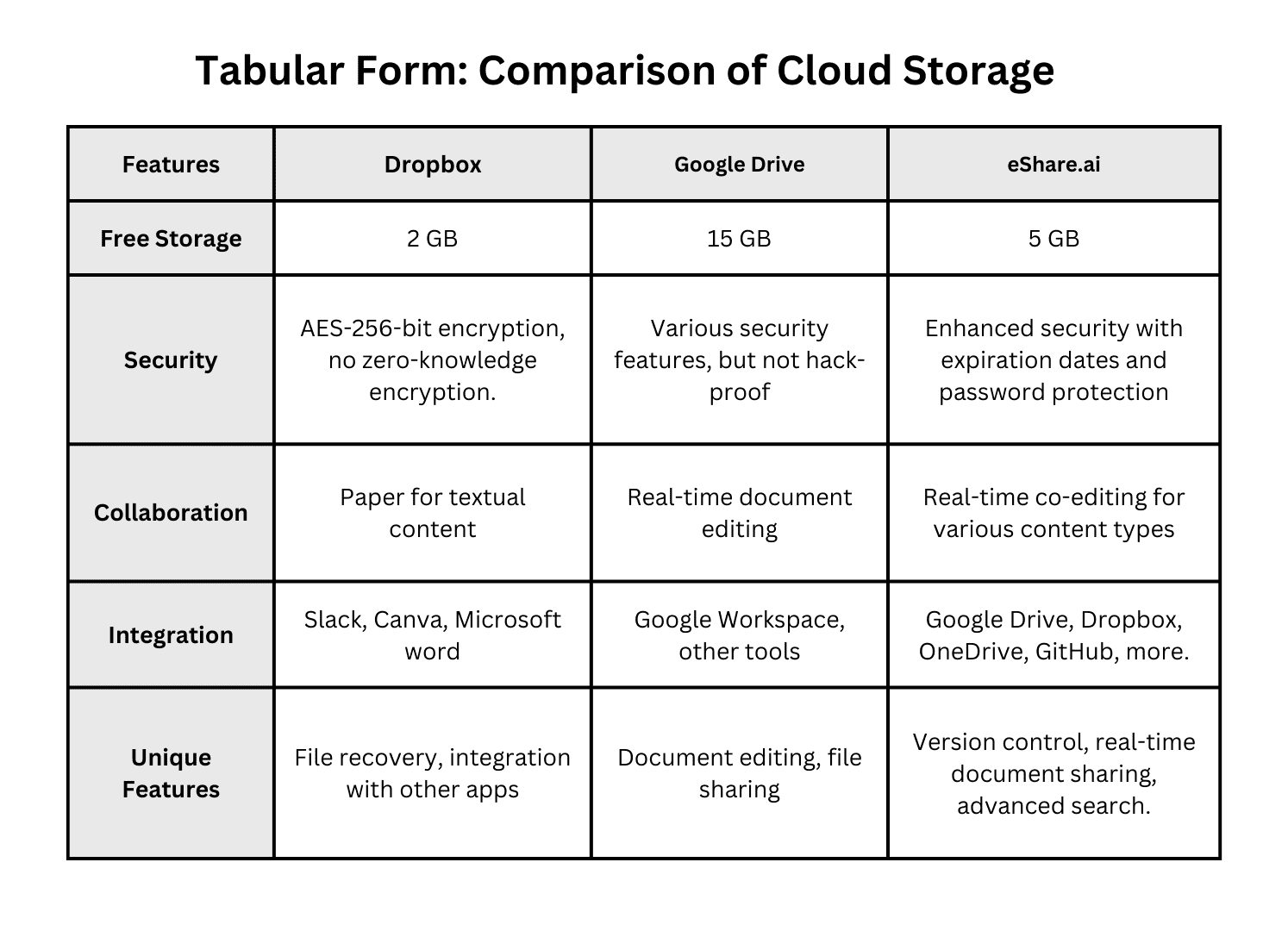
This table shows approximate list prices. Use it as a starting point, then read the details below.
|
Provider |
Type |
Approx. |
Watch |
|
Backblaze B2 |
Object storage |
About $6.95 per TB/month |
Few ready-made apps; check download |
|
Wasabi |
Object storage |
About $7.99 per TB/month (raised in |
Minimum retention and billing rules |
|
Cloudflare R2 |
Object storage |
About $15 per TB/month |
Higher storage price, but no download |
|
pCloud |
Consumer |
2 TB lifetime around $399; 2 TB yearly |
Company-continuity risk with lifetime |
|
Internxt |
Consumer |
Lifetime deals, often from about $90 |
Prices vary by sale; apps are plainer |
|
Sync.com |
Consumer |
2 TB around $8 per month |
Plain web interface |
|
IDrive |
Consumer and backup |
5 TB around $70 in year one |
Renewal price is noticeably higher |
|
Google One / iCloud+ / Dropbox |
Consumer |
2 TB around $9.99 per month |
Priced by bundle, not by what you use |
|
MEGA |
Consumer |
20 GB free; paid plans from a few |
Free space may come with conditions |
Best Picks for Raw Storage
1. Backblaze B2
If you need the cheapest cloud storage provider for plain files, Backblaze B2 is the usual answer. Its published rate sits around $6.95 per TB each month, you pay only for what you store, and there are no complicated tiers. Backblaze also removed per-transaction API fees in 2026, which helps people who move lots of small files.
It works well for backups, archives, media libraries and website assets. The trade-off is that it is a tool for building things, not a polished app for grandparents. Many backup programs connect to it, though, so you can pair B2 with software that does the friendly part.
2. Wasabi
Wasabi advertises simple, flat pricing and no extra charge for downloads. Its pay-as-you-go price rose to roughly $7.99 per TB in July 2026, which is still very low. Read the fine print on minimum storage time for each object, because deleting files early can still leave you paying for them.
3. Cloudflare R2
R2 costs more per terabyte, at around $15, but it charges nothing to move data out. That can make it the winner for files that many people download, such as images or videos on a busy website. Teams hunting for low cost cloud storage that doesn’t punish popular files often end up here.
One comparison worth remembering: a service that charges $7 per TB but bills heavily for downloads can end up costing more than one that charges $15 and lets you download freely. Look at the whole bill, not just the first line.
Step-by-Step: Signing a Document Online
The buttons change from tool to tool, but if you want to sign documents electronically, the flow is nearly always the same.
Best Picks for Personal Files and Photos
For a normal person with phones, laptops and a messy photo library, these are the better fits.
pCloud: Pay Once, Keep Using
pCloud is known for lifetime plans, where you make one payment instead of renewing each year. The 2 TB lifetime option runs around $399, and a 500 GB option is around $199. Over ten years, that works out to a few dollars a month per TB, well under most yearly plans.
The risk is simple. Lifetime means the lifetime of the company, not yours. If the provider is bought or closes, your plan may end. Keep a second copy of anything precious.
Internxt: Aggressive Deals
Internxt is a privacy-focused service with open-source apps and frequent lifetime sales. Deals have dropped as low as the low hundreds of dollars for several terabytes. Reviewers often rank it among the best value choices, though some find its apps and speed less polished than the big names. If you value encryption and a low price more than speed, it is worth a look.
Sync.com: Private and Steady
Sync.com offers 2 TB for roughly $8 a month, with end-to-end encryption on every file. The interface is plain, but the privacy is strong and the price beats the big three.
IDrive: Big Space, Small First-Year Price
IDrive often offers 5 TB for around $70 in the first year, which is one of the lowest effective rates around. The renewal price jumps to roughly $100, so set a reminder before it renews and decide whether to stay or move.
MEGA: Start Free
MEGA gives new users 20 GB without a payment card, and files are encrypted end to end. For people who only need a little room, this is a smart, affordable cloud storage starting point. You can always upgrade later if you outgrow it.
Big-Name Plans: Google, Apple, Dropbox and Microsoft
The four giants charge almost the same at the top end: about $9.99 a month for 2 TB on Google One, iCloud+ and Dropbox Plus. Apple’s smaller plans are popular, with 50 GB around $0.99 and 200 GB around $2.99 a month. Microsoft bundles 1 TB of OneDrive with Microsoft 365, which can be a great deal if you already pay for Word and Excel.
These services shine in other ways. Google One fits Android phones and Gmail. iCloud+ backs up iPhones with almost no effort. Dropbox has a famously reliable sync tool. If you are already inside one of these ecosystems, their affordable cloud storage plans are often the most convenient choice, even when they aren’t the lowest in price.
A few tips keep the bill down. Annual billing often saves 15 percent or more on services that offer it. Family sharing lets several people split one 2 TB plan. And downgrading after you clean out old files can cut your costs right away.
Which One Is Cheapest for Your Situation?
The right answer changes with your needs. Here is a simple guide.
● You only need a little space. Use the free tiers first: Google’s 15 GB, Apple’s 5 GB or MEGA’s 20 GB. For a single person with light needs, the cheapest cloud storage service is often the free one.
● You have a big photo library. A multi-terabyte yearly deal such as IDrive, or a lifetime plan from pCloud or Internxt, gives you the most room per dollar.
● You want a set-and-forget backup. Pair Backblaze B2 with a backup app, or choose a plan with built-in device backup.
● You run a small business or a website. Compare B2, Wasabi and R2 on your expected downloads, not just storage.
● You share files with a team. Pick the platform your team already uses, because switching costs time too.
● You care about privacy. Look at Sync.com, Internxt or Proton, which encrypt files so even the provider can’t read them.
Lifetime Plans: Smart Buy or Risky Bet?
Lifetime plans catch the eye, so they deserve a closer look. If you keep a plan for five years, you may spend more on a yearly subscription than a lifetime deal costs outright. For many people, the cheapest cloud storage plans over a ten-year span turn out to be lifetime offers during a sale.
Still, think about three things. First, the provider has to stay in business. Second, the company can change features or limits over time. Third, a big one-time payment hurts more if the service disappoints. Many buyers reduce the risk by paying for a smaller plan first and keeping a second backup elsewhere.
A sensible rule: only buy lifetime if you can afford to lose that money and still have your files safe somewhere else.
Hidden Costs That Spoil a Good Price
A low headline price can hide extras. Watch for these before you commit.
● Renewal jumps. A first-year deal may rise 40 percent or more at renewal.
● Download fees. Some providers charge when you pull data out, which can be painful if you ever want to leave.
● Minimum retention or billing. Deleting a file early might not stop the charge.
● Request charges. Some object storage plans bill for each action, though this is fading.
● Device limits. A free or basic plan may cap how many devices can sign in.
● Bundled extras you don’t need. A bigger package that includes VPN or AI features may cost more than a plain storage plan.
The fix is easy. Read the pricing page to the end, check the renewal rate, and look for any line about downloads or minimums.
Five Ways to Pay Less Right Now
1. Clean up first. Delete duplicates, old screenshots and forgotten downloads. Many people discover they need half the space they pay for.
2. Start free. Fill the free tiers of two or three services before paying for any.
3. Choose annual billing. It often cuts the effective monthly rate noticeably.
4. Watch for sales. Lifetime deals and discounts show up around holidays.
5. Mix and match. Use a big-brand plan for daily phone sync and a low-priced service for bulk archives you rarely open.
And whatever you choose, keep at least two copies of files that matter. A cheap price is no comfort if a single account problem wipes out your only copy.
Final Thoughts
The cheapest cloud storage isn’t one single product. For raw terabytes, Backblaze B2 and Wasabi lead the pack. For personal files, lifetime plans from pCloud and Internxt, or a first-year deal from IDrive, give you the lowest cost per terabyte. For convenience, the big ecosystems cost more but save time.
Start by measuring what you really store, decide whether you need friendly apps or just space, and read the fine print on renewals and downloads. Then pick the option that matches your habits, not just the lowest number on the page.
FAQ
What is the cheapest way to store files in the cloud?
For most people, the cheapest route is a free tier, followed by a lifetime plan for bigger needs. For bulk data, object storage from Backblaze B2 or Wasabi costs about $7 to $8 per TB each month. The right pick depends on how much you store and how often you download it.
Is free cloud storage really free?
Yes, free tiers cost nothing, but they come with limits. You usually get between 2 GB and 20 GB, and some services reduce features or cap devices. Free space also fills fast with phone photos. Use free plans for documents and small backups, and move to a paid plan only when you run out.
Is a lifetime cloud storage plan worth the money?
Often yes, if you plan to keep your files for more than about three to five years. The one-time payment can beat years of subscription fees. The risk is that the company may change or close, so keep another copy of important files in a second place.
Why does my cloud storage price go up after the first year?
Many providers use introductory pricing to attract new customers, then switch to a higher renewal rate. IDrive is one example, where a low first-year price rises noticeably at renewal. Check the renewal amount before you subscribe, and set a calendar reminder so you can switch or renegotiate in time.
How much cloud storage do I actually need?
Most people do well with 200 GB to 2 TB. Add up your photos, videos, documents and device backups, then leave about 20 to 30 percent of room to grow. A casual phone user may fit within 50 to 200 GB, while someone with years of 4K video may need several terabytes.
Are cheaper cloud storage services less safe?
Not necessarily. Price and security are separate things. Look at encryption, two-step login, the provider’s track record and where data is stored. Some low-priced services, such as Sync.com and Internxt, offer end-to-end encryption by default. Always keep a second backup, whatever the price you pay.
Can I use more than one cloud storage service?
Yes, and many people do. A common mix is a big-brand plan for phone sync and a cheaper service for large archives. This spreads risk and can lower your total bill. Just keep a simple note of what lives where, so you never lose track of an important file.
Will I pay extra to download my own files?
Sometimes. Many consumer plans let you download freely, but some object storage providers charge for data leaving their servers, often called egress fees. Others, like Cloudflare R2, charge nothing for it. If you plan to download often or may move providers one day, check this rule first.